How to get a DeepSeek API key
Last updated
- Open the DeepSeek keys page and sign in.
- Add balance first: click Top up. DeepSeek does not publish a minimum, so start with $5. Topped-up balance does not expire, and requests fail when it runs out.
- Back on the keys page, click Create new API key.
- Type a name such as
Besidkaand click Create API key. - Click Copy to copy the key. DeepSeek shows it only once.
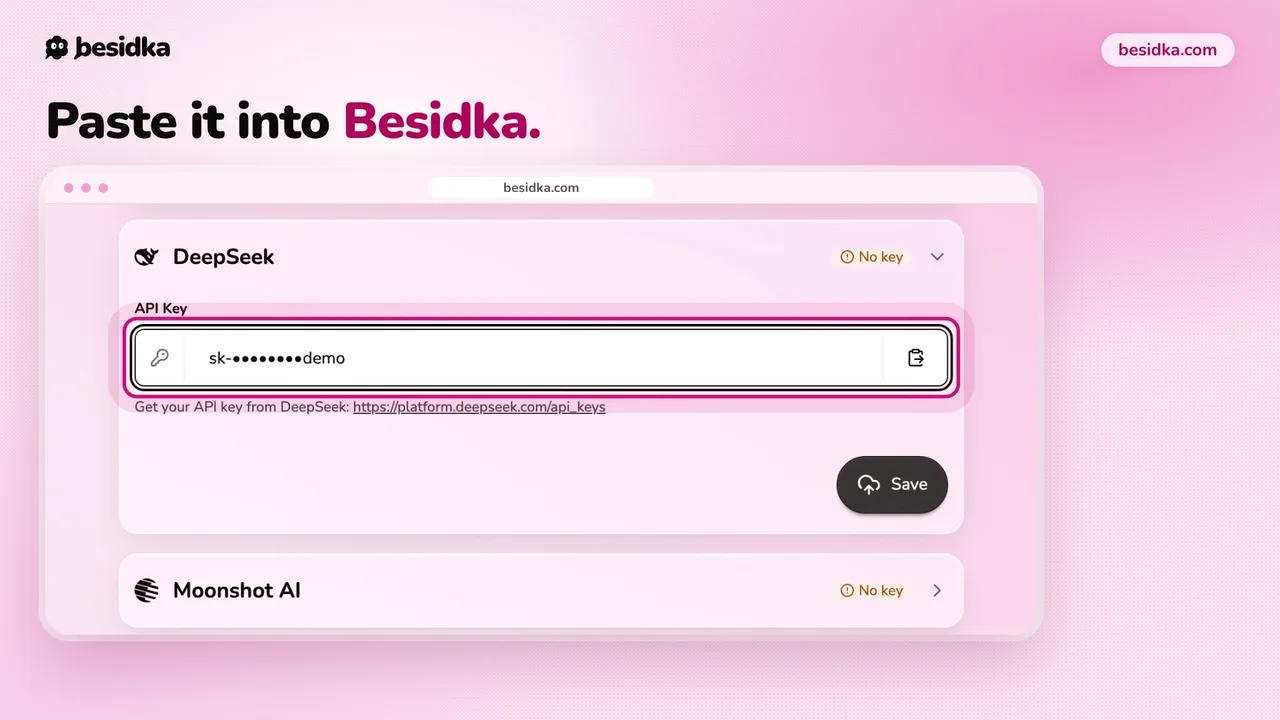
- In Besidka, go to Profile, API Keys, then the DeepSeek card. Paste the key into API Key and click Save.
- Start a new chat and pick a DeepSeek model.
Privacy. DeepSeek's privacy policy says your inputs and outputs may be used to train its models, and that data is stored in the People's Republic of China. To opt out, email privacy@deepseek.com. For private or work data, use another provider.
Got your key? Use it in Besidka
Paste the key once and chat with every model it unlocks. You pay the provider directly for what you use.